Graphics card buying guide: how to choose the right GPU

Choosing a graphics card is mostly a matter of getting four decisions right, in order: your monitor's resolution, your budget, the VRAM, and whether the card physically fits your PC and power supply. Get those right and the rest is detail. This guide walks through each one, with the numbers from our own testing.

Transparency: This article contains affiliate links. If you buy through one of them, we may earn a commission, at no extra cost to you. That is how we fund our testing and keep this site independent. More about how we test.

Contents

Our selection

An option from this comparisonAffiliate links
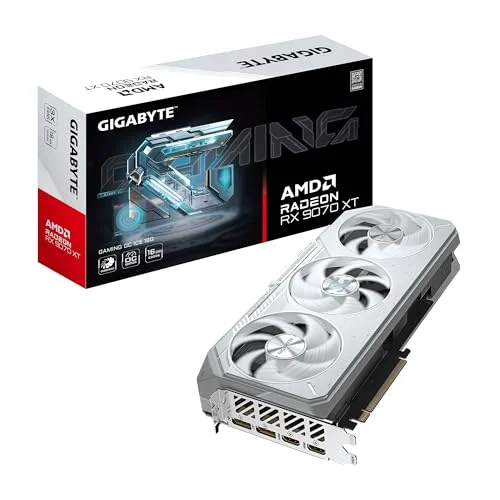
Gigabyte Radeon RX 9070 XT Gaming OC 16GB
View on Amazon
Model Price GPUMemoryMemory bus Rating Link
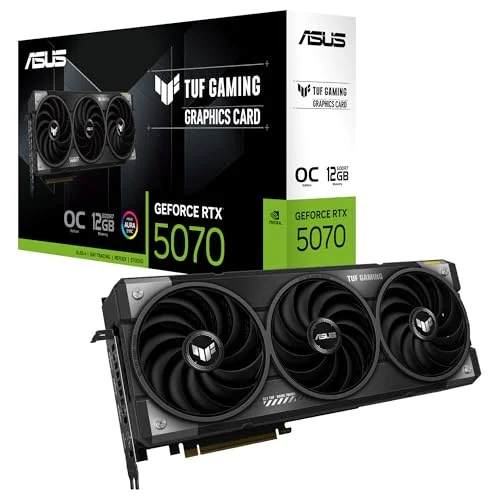
Asus Dual GeForce RTX 5070 OC 12GB ★ Top pick Asus Dual GeForce RTX 5070 OC 12GB £849.99 GeForce RTX 507012GB GDDR7192-bit ★ 4.5 Check availability
Gigabyte Radeon RX 9070 XT Gaming OC 16GB Gigabyte Radeon RX 9070 XT Gaming OC 16GB £997.38 Radeon RX 9070 XT16GB GDDR6256-bit ★ 4.4 View →
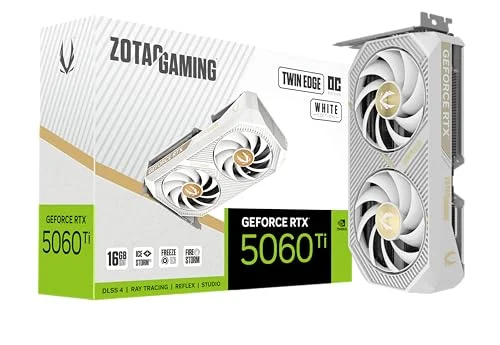
Zotac GeForce RTX 5060 Ti 16GB Twin Edge OC Zotac GeForce RTX 5060 Ti 16GB Twin Edge OC £591.87 GeForce RTX 5060 Ti16GB GDDR7128-bit ★ 4.3 Check availability
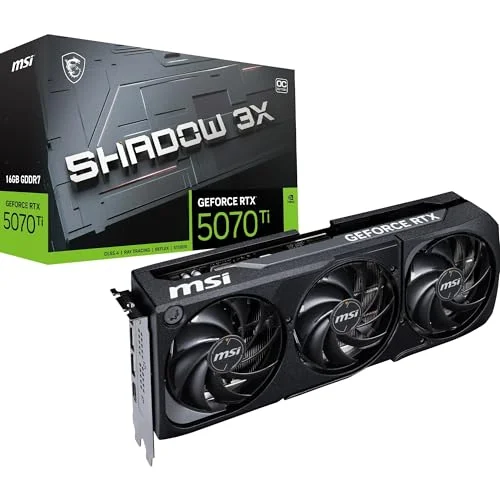
MSI GeForce RTX 5070 Ti Gaming Trio OC 16GB MSI GeForce RTX 5070 Ti Gaming Trio OC 16GB £1,660.71 GeForce RTX 5070 Ti16GB GDDR7256-bit ★ 4.4 Check availability
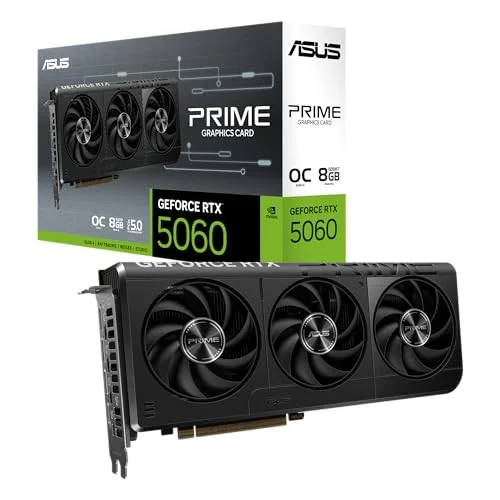
Asus Prime GeForce RTX 5060 8GB OC Asus Prime GeForce RTX 5060 8GB OC £449.99 GeForce RTX 50608GB GDDR7128-bit ★ 4.1 View →
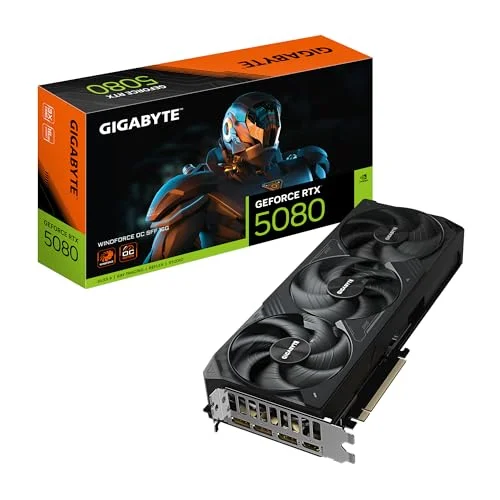
Gigabyte GeForce RTX 5080 Gaming OC 16GB Gigabyte GeForce RTX 5080 Gaming OC 16GB £1,218.00 GeForce RTX 508016GB GDDR7256-bit ★ 4.2 Check availability
★ Top pick
Asus Dual GeForce RTX 5070 OC 12GB £849.99
GPU : GeForce RTX 5070Memory : 12GB GDDR7Memory bus : 192-bit ★ 4.5/5
Check availability
Gigabyte Radeon RX 9070 XT Gaming OC 16GB £997.38
GPU : Radeon RX 9070 XTMemory : 16GB GDDR6Memory bus : 256-bit ★ 4.4/5
View on Amazon →
Zotac GeForce RTX 5060 Ti 16GB Twin Edge OC £591.87
GPU : GeForce RTX 5060 TiMemory : 16GB GDDR7Memory bus : 128-bit ★ 4.3/5
Check availability
MSI GeForce RTX 5070 Ti Gaming Trio OC 16GB £1,660.71
GPU : GeForce RTX 5070 TiMemory : 16GB GDDR7Memory bus : 256-bit ★ 4.4/5
Check availability
Asus Prime GeForce RTX 5060 8GB OC £449.99
GPU : GeForce RTX 5060Memory : 8GB GDDR7Memory bus : 128-bit ★ 4.1/5
View on Amazon →
Gigabyte GeForce RTX 5080 Gaming OC 16GB £1,218.00
GPU : GeForce RTX 5080Memory : 16GB GDDR7Memory bus : 256-bit ★ 4.2/5
Check availability
BEST OVERALL
Asus Dual GeForce RTX 5070 OC 12GB - graphics card Asus

Asus Dual GeForce RTX 5070 OC 12GB

4.5/5

£849.99

GeForce RTX 5070 · 12GB GDDR7 · 192-bit

  • Cleanest 1440p value here at 118 fps average
  • Compact 227 mm board fits small cases
  • DLSS 4 and full frame generation support
  • Runs cool and quiet under load (66 degrees C / 31 dBA)
  • 12GB is the floor for 4K texture-heavy games
  • Two-slot cooler trades a few degrees for size
Raw power 4/5
Value 5/5
Efficiency 4/5
Check availability
BEST VALUE
Gigabyte Radeon RX 9070 XT Gaming OC 16GB - graphics card Gigabyte

Gigabyte Radeon RX 9070 XT Gaming OC 16GB

4.4/5

£997.38

Radeon RX 9070 XT · 16GB GDDR6 · 256-bit

  • Fastest raster of the mid-range here at 129 fps (1440p)
  • Generous 16GB buffer for 4K and modded games
  • FSR 4 upscaling closes much of the DLSS gap
  • Strong frames-per-pound at 630 pounds
  • Ray tracing still trails the RTX 5070 Ti
  • 330 mm triple-slot card needs a roomy case
Raw power 5/5
Value 5/5
Efficiency 3/5
View on Amazon →
BEST BUDGET
Zotac GeForce RTX 5060 Ti 16GB Twin Edge OC - graphics card Zotac

Zotac GeForce RTX 5060 Ti 16GB Twin Edge OC

4.3/5

£591.87

GeForce RTX 5060 Ti · 16GB GDDR7 · 128-bit

  • Excellent 1080p card at 142 fps average
  • 16GB version future-proofs texture settings
  • Low 180 W draw suits a 550 W power supply
  • Quiet, compact two-slot cooler
  • Narrow 128-bit bus caps the 1440p ceiling
  • Only worth it in the 16GB version, not the 8GB
Raw power 3/5
Value 5/5
Efficiency 5/5
Check availability
BEST FOR 4K
MSI GeForce RTX 5070 Ti Gaming Trio OC 16GB - graphics card MSI

MSI GeForce RTX 5070 Ti Gaming Trio OC 16GB

4.4/5

£1,660.71

GeForce RTX 5070 Ti · 16GB GDDR7 · 256-bit

  • Genuine 4K-capable at 86 fps average (4K ultra)
  • Best ray tracing per pound in this group
  • 16GB GDDR7 on a wide 256-bit bus
  • DLSS 4 multi-frame generation clears 120 fps in most games
  • Big 337 mm triple-fan board
  • You pay a clear premium over the 5070
Raw power 5/5
Value 4/5
Efficiency 4/5
Check availability
BEST ENTRY 1080p
Asus Prime GeForce RTX 5060 8GB OC - graphics card Asus

Asus Prime GeForce RTX 5060 8GB OC

4.1/5

£449.99

GeForce RTX 5060 · 8GB GDDR7 · 128-bit

  • Cheapest current-gen card we trust at 310 pounds
  • Frugal 145 W draw, no PSU upgrade needed
  • Short 204 mm board fits compact and SFF cases
  • DLSS 4 lifts demanding games above 60 fps
  • 8GB buffer is the real limit at 1440p and high textures
  • Not built for 4K or maxed ray tracing
Raw power 3/5
Value 4/5
Efficiency 5/5
View on Amazon →
BEST FOR HIGH-REFRESH 4K
Gigabyte GeForce RTX 5080 Gaming OC 16GB - graphics card Gigabyte

Gigabyte GeForce RTX 5080 Gaming OC 16GB

4.2/5

£1,218.00

GeForce RTX 5080 · 16GB GDDR7 · 256-bit

  • Comfortable 100+ fps at native 4K ultra
  • Top ray-tracing and DLSS 4 performance here
  • Cool and stable at 360 W under long sessions
  • The sensible step below a 2,000 pound flagship
  • Highest price and power draw in the group
  • Huge 340 mm 3.5-slot board needs a full tower
Raw power 5/5
Value 3/5
Efficiency 3/5
Check availability

Start with your monitor, not the card

The single most important rule of buying a graphics card is that you cannot see more frames than your monitor can draw. A 60Hz screen shows 60 frames a second no matter how fast the card behind it is, and a 1440p panel cannot display 4K detail. So the first question is never "which card is fastest" but "what resolution and refresh rate is my monitor". That answer narrows the field more than anything else.

For a 1080p screen, even a high-refresh 144Hz one, you do not need to spend much. The Zotac RTX 5060 Ti 16GB averaged 142 fps at 1080p ultra in our testing and the Asus RTX 5060 121 fps at high, both plenty for that resolution. Spending more here buys frames the screen cannot show. For a 1440p screen, the resolution we think most upgraders should target, the RTX 5070 (118 fps) and the RX 9070 XT (129 fps) are the sweet spot. For a 4K screen, only the RTX 5070 Ti (86 fps) and the RTX 5080 (104 fps) hold a smooth native frame rate at ultra. Match the card to the screen and you stop wasting money. Our 1440p and 4K guides go deeper on each.

The specs that actually matter (and the ones that don't)

Graphics card listings are full of numbers, but only a few decide how the card plays. In rough order of importance:

  • The GPU model. This sets the tier and matters more than everything else combined. An RTX 5070 will beat an RTX 5060 regardless of which brand's cooler is bolted on. Decide the model first.
  • VRAM (video memory). The amount and speed of memory decides how the card holds up at higher resolutions and textures. Too little and games stutter no matter how fast the chip is. We cover this in detail below.
  • Memory bus width. A wider bus (256-bit versus 128-bit) feeds the GPU more data and is why the RTX 5060 Ti, despite 16GB, is a 1080p card: its 128-bit bus caps it at higher resolutions.
  • Board power (TGP or TBP). This tells you the cooling, noise and power supply the card needs. It ranged from 145 W on the RTX 5060 to 360 W on the RTX 5080 in our group.
  • Clock speed. This matters least. The difference between two cards' boost clocks is usually a few percent, far less than the model or VRAM tells you. Do not choose a card on clock speed alone.

Brand matters less than people think. The GPU is identical whether the box says Asus, Gigabyte, MSI or Zotac, so the board partner mostly affects the cooler, the noise, the size and the warranty rather than raw speed. A better cooler can run quieter and a touch cooler, occasionally allowing a small factory overclock, but the gap between partner cards on the same GPU is usually small. Buy on the GPU and the cooler quality, not the badge.

How much VRAM do you actually need?

VRAM is the spec buyers most often get wrong, in both directions. Too little and modern games stutter as textures spill out of the buffer; too much and you have paid for memory your resolution will never fill. The right amount depends on resolution:

  • 1080p: 8GB still works today, but 12GB or 16GB is the safer buy as game textures grow. This is exactly why we recommend the 16GB version of the RTX 5060 Ti over the 8GB model, which stuttered badly in our testing.
  • 1440p: aim for 12GB or more. The RTX 5070's 12GB is fine here, and the RX 9070 XT's 16GB gives extra headroom for modded games.
  • 4K: 16GB is the practical floor. Both 4K cards we recommend, the RTX 5070 Ti and RTX 5080, carry 16GB, which is enough for ultra textures at 4K in current games.

One trap to avoid: two cards with the same name and different VRAM are not the same card. The 8GB and 16GB RTX 5060 Ti share a GPU but behave very differently in modern games, so always check the memory figure, not just the model name.

Power supply, connectors and case fit

The last checks before you buy are physical and electrical, and skipping them is how people end up returning a card. Three things to confirm:

  • Power supply wattage. Each card has a recommended PSU. In our group that ranged from 450 W for the RTX 5060 to 850 W for the RTX 5080. A mid-range card such as the RTX 5070 is happy on a quality 650 W to 750 W unit. If your PSU is below the recommendation, budget for an upgrade.
  • Power connector. Newer cards use a single 12V-2x6 (16-pin) connector; some, like the RX 9070 XT, use two standard 8-pin PCIe plugs. Check your PSU has the right cable, and always seat a 12V-2x6 connector fully, as a partial connection is the main cause of the rare overheating reports.
  • Physical size. Cards ranged from a compact 204 mm two-slot (RTX 5060) to a 340 mm 3.5-slot board (RTX 5080) in our test. Measure your case's stated GPU length and slot clearance before buying, especially for the larger cards.

The table above lists the recommended power supply and the length of every card we tested, so you can match a card to your build at a glance. Once those four decisions are made, resolution, budget, VRAM and fit, the right card is usually obvious. To see exactly how we arrived at the frame-rate figures throughout this guide, read our how we test page, and for the brand question specifically, our Nvidia vs AMD guide.
Frequently asked questions

Q
How do I choose a graphics card?

Start with your monitor resolution and refresh rate, then set a budget, then check physical fit and power. For 1080p, a card such as the RTX 5060 Ti is plenty; for 1440p, the RTX 5070 or RX 9070 XT; for 4K, the RTX 5070 Ti or 5080. Buying more card than your monitor can show is wasted money, so the resolution decides most of the choice.

Q
What specs matter most on a graphics card?

The GPU model, the amount and speed of VRAM, the memory bus width, and the board power are the figures that matter most. The model sets the tier, VRAM and bus width decide how it holds up at higher resolutions and textures, and board power tells you the cooling and power supply you need. Clock speeds matter least; the model and memory tell you far more.

Q
Does the brand of the card matter?

The GPU is the same whether it says Asus, MSI, Gigabyte or Zotac on the box, so the brand mostly affects the cooler, the noise, the size and the warranty rather than raw speed. A better cooler runs quieter and a touch cooler, which can allow a small factory overclock, but the performance difference between board partners is usually small.

The short version

Decide your monitor's resolution first, then your budget, then check VRAM and physical fit. For 1080p, the RTX 5060 Ti 16GB; for 1440p, the RTX 5070 or RX 9070 XT; for 4K, the RTX 5070 Ti or RTX 5080. Buy the card that matches your screen, confirm your power supply and case can take it, and you will not overpay or come up short.